
How to Start Using AI in Your Daily Life and Work
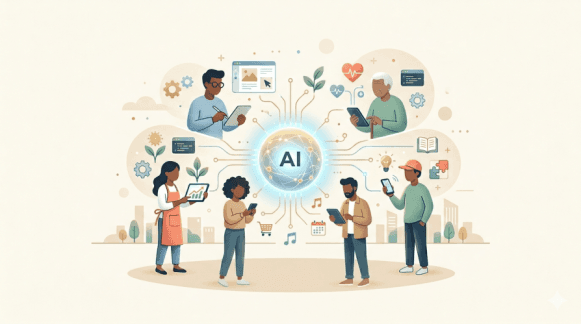
Artificial Intelligence is no longer something that only large companies or research teams use. Today, AI tools are available to everyone, and they can be used in simple and practical ways to improve daily life and work.
Despite this, many people still hesitate to use AI. They may have heard about tools like ChatGPT, Claude or Gemini, but they are not sure where to start or how to use them effectively.
The confusion is understandable. When something is new, it often feels complex. However, using AI does not require deep technical knowledge. What matters more is understanding how it can help in everyday situations and learning how to interact with it in a simple and structured way.
Understanding Where AI Can Help
Before using AI, it is important to understand where it fits into your daily activities. AI is especially useful in tasks that involve thinking, writing, organizing, or explaining information.
For example, if you spend time searching for answers, writing emails, preparing notes, or learning new concepts, AI can make these tasks faster and easier. It can act as an assistant that helps you generate ideas, clarify doubts, and structure your work.
Instead of replacing your effort, AI supports your thinking process. It helps you move faster and focus on what is important.
Starting with One Tool
A common mistake beginners make is trying multiple AI tools at the same time. This often leads to confusion and makes it difficult to understand how each tool works.
It is better to start with one tool, such as ChatGPT, Claude or Gemini, and spend some time exploring it properly.
Try asking simple questions first and then gradually move to more detailed prompts. Observe how the responses change when you add more clarity or context. This process helps you understand how to communicate effectively with AI.
Once you become comfortable with one tool, learning others becomes much easier.
Using AI for Learning
One of the most effective ways to start using AI is for learning.
Instead of going through multiple websites or long videos, you can ask AI to explain a concept in simple terms. You can also request examples, summaries, or step-by-step explanations.
For instance, if you are trying to understand a technical topic, you can ask AI to explain it in beginner-friendly language. If the explanation feels complex, you can ask it to simplify further or provide real-life examples.
This flexibility makes AI similar to a personal tutor who can adjust explanations based on your level of understanding. Over time, this approach can significantly improve how you learn new concepts.
Using AI for Daily Tasks
AI can also help with everyday tasks that require writing, planning, or organizing information.
For example, writing emails is a common task for many people. Instead of spending time thinking about how to phrase everything, you can ask AI to generate a draft and then modify it as needed.
If you have a long article or document, you can ask AI to summarize it into key points. This saves time and helps you focus on important information.
AI can also help in creating to-do lists, planning daily schedules, or generating ideas when you feel stuck. These small improvements may seem simple, but they can make your daily routine more efficient over time.
Practical Examples for Different People
The real value of AI becomes clear when we look at how it can be used in different roles.
For Students:
Students can use AI as a learning assistant to understand concepts more effectively.
For example, when studying a subject like programming or science, a student may struggle to understand a topic from textbooks alone. In such cases, AI can provide simplified explanations, real-life examples, and step-by-step breakdowns.
Students can also use AI to create notes, generate practice questions, and revise topics quickly. Instead of memorizing information, they can focus on understanding concepts more deeply.
Another useful application is writing. Students can use AI to improve essays, check grammar, and restructure sentences. This helps them develop better communication skills over time.
By using AI regularly, students can make learning more interactive and less stressful.
For Employees:
Employees can use AI to improve productivity and reduce repetitive work.
Writing emails, preparing reports, and summarizing meeting notes are common tasks in most jobs. AI can help create drafts quickly, which can then be refined based on the requirement.
If someone is working on a presentation, AI can assist in structuring content, generating ideas, and organizing information clearly.
AI can also support decision-making by providing structured insights. For example, when planning a project, you can ask AI to suggest steps, identify risks, and recommend improvements.
This allows employees to focus more on meaningful work instead of spending time on routine tasks.
For IT Professionals (Developers, QA, DevOps, Support):
IT professionals can use AI as a powerful assistant to improve productivity, solve problems faster, and reduce repetitive work.
In day-to-day work, many IT roles involve tasks such as debugging issues, understanding logs, writing scripts, creating documentation, or working with APIs. AI tools can support all these activities in a practical way.
For example, if you are working on an issue and unable to understand the root cause, you can describe the problem to AI and ask for possible reasons or troubleshooting steps. This can give you a starting direction instead of spending a lot of time searching across multiple sources.
AI can also help in writing or improving code snippets, generating test cases, or explaining complex logic in simple terms. For QA engineers, it can assist in creating test scenarios, writing automation scripts, or suggesting edge cases that might be missed during testing.
For DevOps or support roles, AI can help in understanding logs, writing commands, summarizing incidents, and preparing documentation. Instead of manually writing everything from scratch, you can generate a draft using AI and then refine it based on your requirement.
Another important use case is learning new tools and technologies. IT professionals often need to quickly adapt to new frameworks or systems. AI can act as a quick learning assistant by explaining concepts, providing examples, and suggesting best practices.
By using AI regularly, IT professionals can reduce time spent on repetitive tasks and focus more on solving real problems and improving system quality.
Improving How You Ask Questions
One of the most important skills in using AI is learning how to ask better questions.
A vague question usually results in a vague answer, while a clear and structured prompt leads to a more useful response.
For example, asking “Explain APIs” may give a general answer. However, asking “Explain APIs in simple terms with one real-world example for beginners” provides more context and results in a better explanation.
This improvement comes from adding clarity, context, and expectation to your prompt. Over time, as you practice this, you will naturally start writing better prompts and getting better results.
Building the Habit of Using AI
Using AI occasionally is not enough to see its full benefit. To make it truly useful, it should become part of your daily routine.
You can start by using AI for small tasks, such as learning one concept, drafting one email, or summarizing one piece of content each day.
As you become more comfortable, you will start using it for more complex tasks. This gradual approach helps you build confidence and avoid feeling overwhelmed.
Consistency is what makes AI a powerful tool in your life.
Things to Keep in Mind
While AI is useful, it is important to use it carefully.
AI systems may sometimes provide incorrect or outdated information, so it is always a good practice to verify important details before using them.
You should also avoid relying completely on AI. Use it as an assistant to support your thinking, not as a replacement for it.
When used responsibly, AI can become a valuable part of your daily workflow.
Final Thoughts
Artificial Intelligence is becoming a part of everyday life, and learning how to use it effectively is an important skill.
You do not need to be a technical expert to start. By using AI for simple tasks, practicing regularly, and improving how you ask questions, you can gradually make it a powerful tool in your life.
Whether you are a student, an employee, or an IT professional, AI can help you learn faster, work smarter, and grow in your career.
The most important step is to start using it.
Next Article in This Series
Best AI Tools You Should Start Using in 2026
Like and Share
If you found this article helpful, share it with your friends and family, and tap the like button to support more such content.